If you purchased from an authorized third-party retailer (e.g., Nero Store on Amazon, Best Buy, magazines like Computerbild, MediaMarkt or other software stores):
1. You will receive an activation code, typically in one of two formats depending on the retailer:
1). A 32-character activation code, primarily used for standard software boxes and online retailers. The code is typically located in one of the following places: printed inside the physical product box, on a card included in the packaging, in your order confirmation email, etc.
2). A 24-character activation code that begins with "NERO". If you buy Nero on a card with a POSA code(a barcode) at MediaMarkt, after the cashier scans the card's POSA code, a 24-character activation code will be printed on your store receipt. (It is not possible to activate your product directly with POSA code.)
2. Regardless of the format (32-character or 24-character activation code), both are activated in the same way within Nero Start.
3. How it works: The license is tied to this unique code. You must enter it to attach the software license to your chosen Nero Account.
How to activate:
1). Install Nero Start.
2). Log in with the Nero Account you wish to permanently link the software to (this can be a new or existing account).
3. Find "Enter Activation Code" in My Nero Account page left panel or Account Settings menu section in Nero Start and input your 32-character code.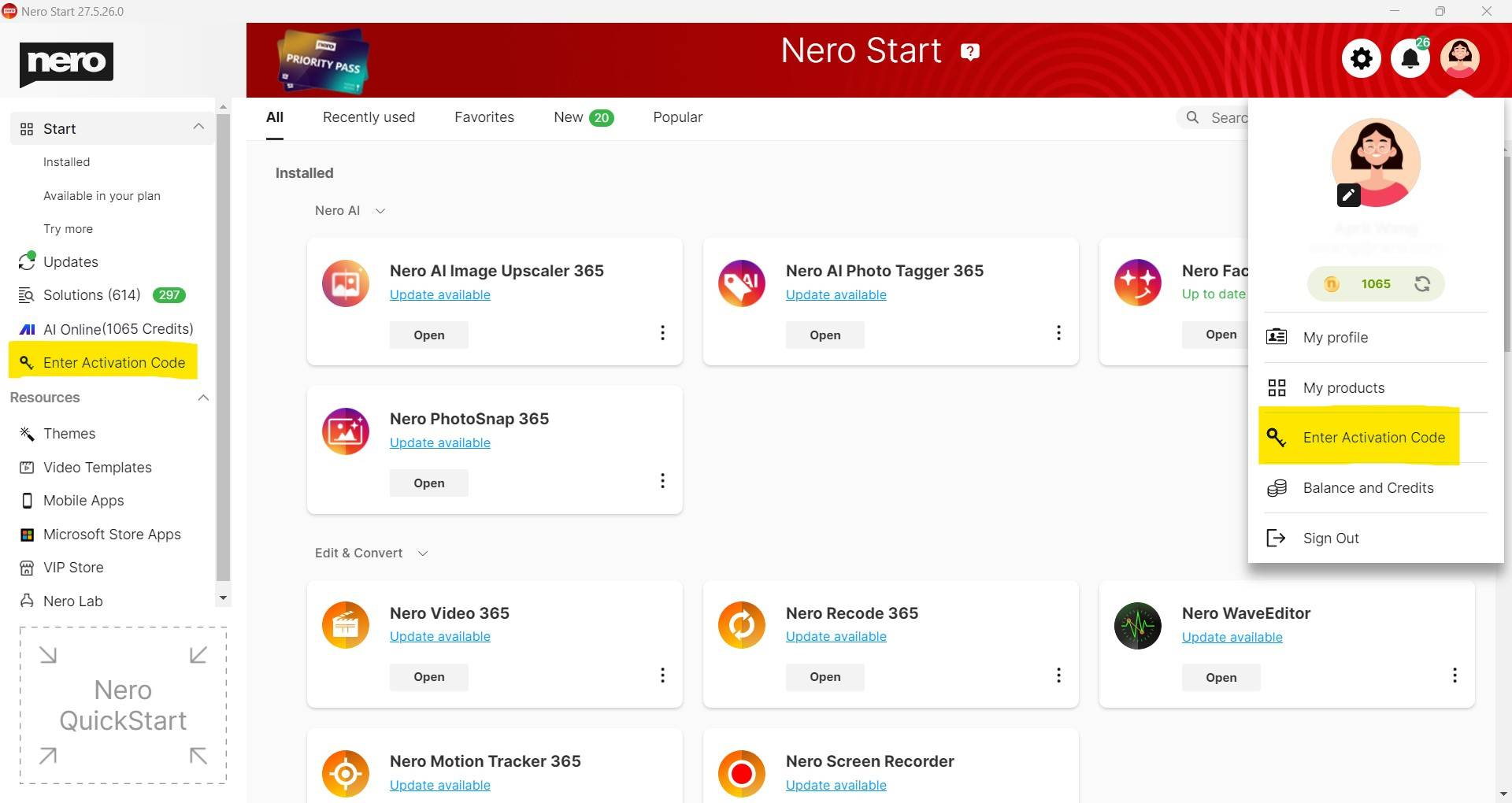
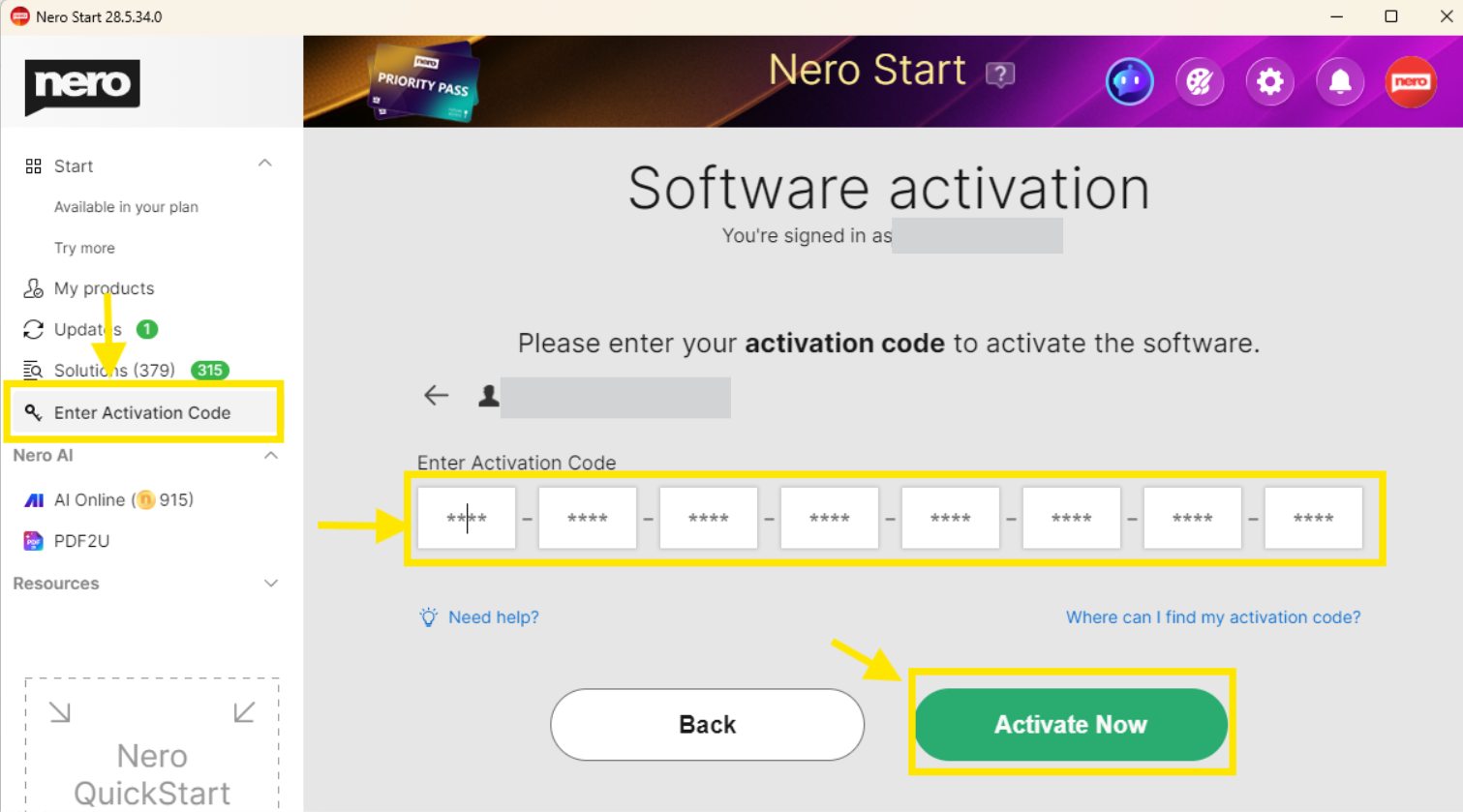
or 24-character code 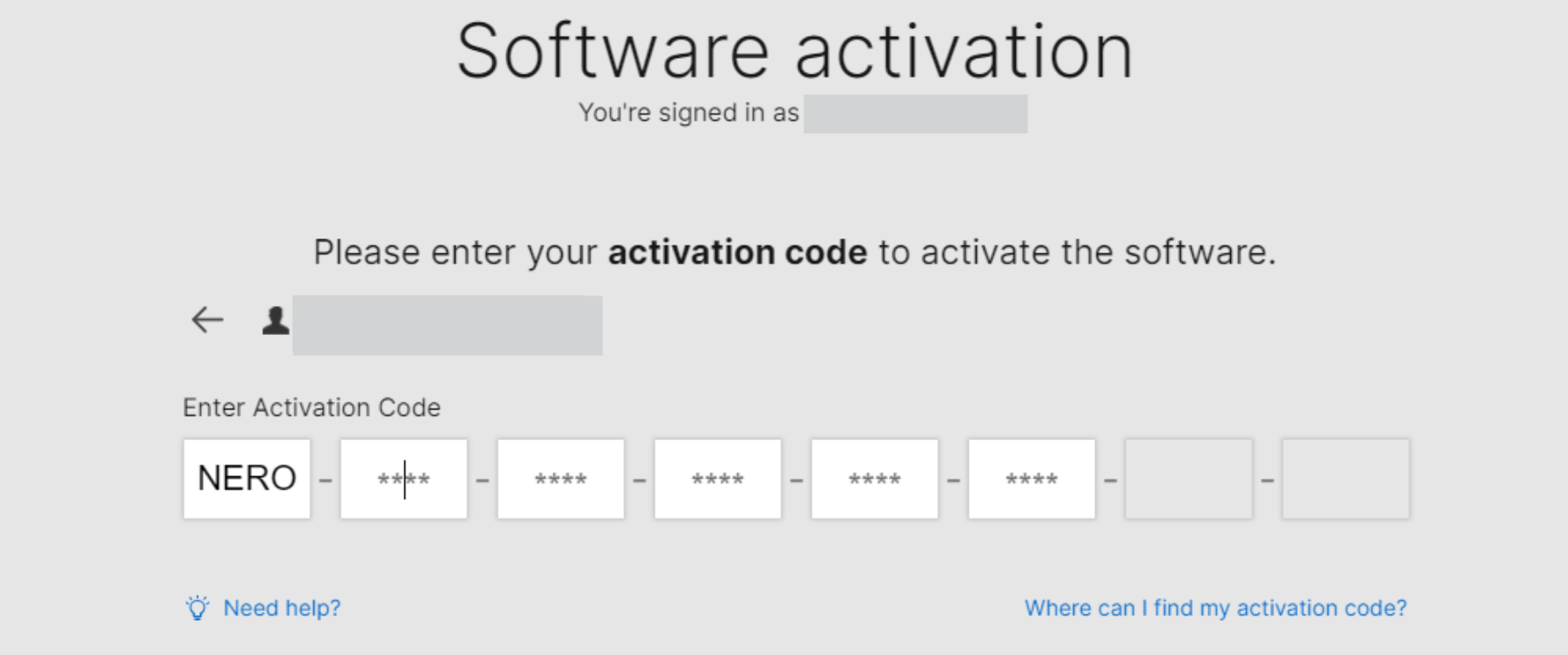
The software will be activated and be permanently bound to the account you are logged into.
> > Important: Each activation code can be redeemed only once and manually.
Check out details from Nero KnowHow.





