Since the new Nero Start always displays the most recent product under your account at the top. If you want to place your old product at the top or use a different product on a different computer, you only need to take two steps to return to the previous user interface.
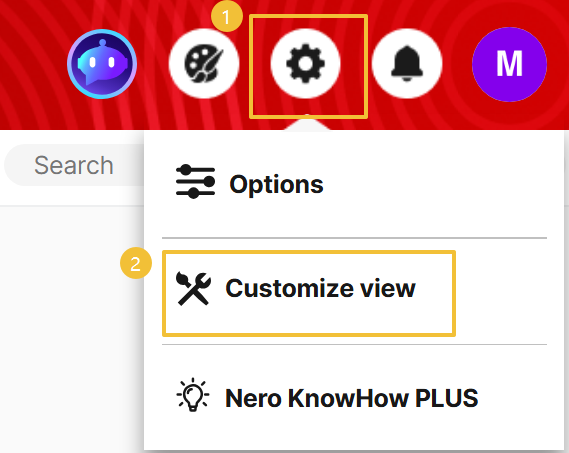
1. Open Nero Start and click the "Options" button in the upper right corner.
2. Click the "Customize View" option.
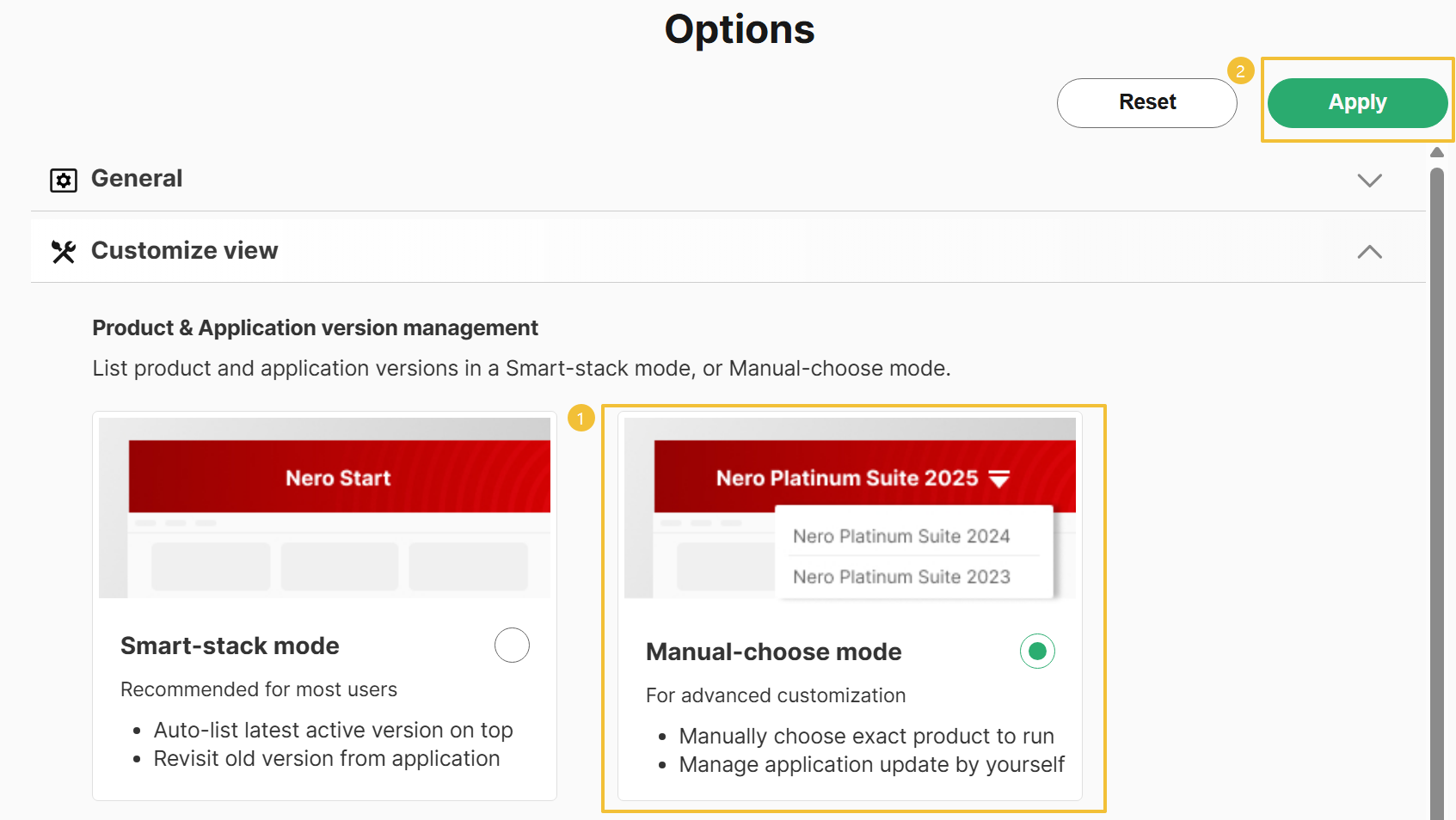
3. Select "Manual-choose mode" and then click the "Apply" button.
Nero Start's layout will revert to its previous version.





