If you purchased from an authorized third-party retailer (e.g., Nero Store in Amazon, Best Buy, magazines e.g. Computerbild, MediaMarktt or other software stores):
1. You WILL receive an activation code, typically in one of two formats depending on the retailer:
1). A 32-character activation code primarily used for standard software boxes and online retailers.
2). A 24-character activation code that begins with "NERO" (known as a POSA code). This code is commonly found on physical cards (like those sold in supermarkets). The code is printed on your store receipt after the cashier scans the card's QR code.
2. Regardless of the format (32-character or 24-character POSA code), both are activated in the same way within Nero Start. Your code is typically located in one of the following places: printed inside the physical product box, on a card included in the packaging, in your order confirmation email, or directly on your retail store receipt.
3. How it works: The license is tied to this unique code. You must redeem it to attach the software license to your chosen Nero Account.
How to activate:
1). Install Nero Start.
2). Log in with the Nero Account you wish to permanently link the software to (this can be a new or existing account).
3. Find "Enter Activation Code" in My Nero Account page left panel or Account Settings menu section in Nero Start and input your 32-character code.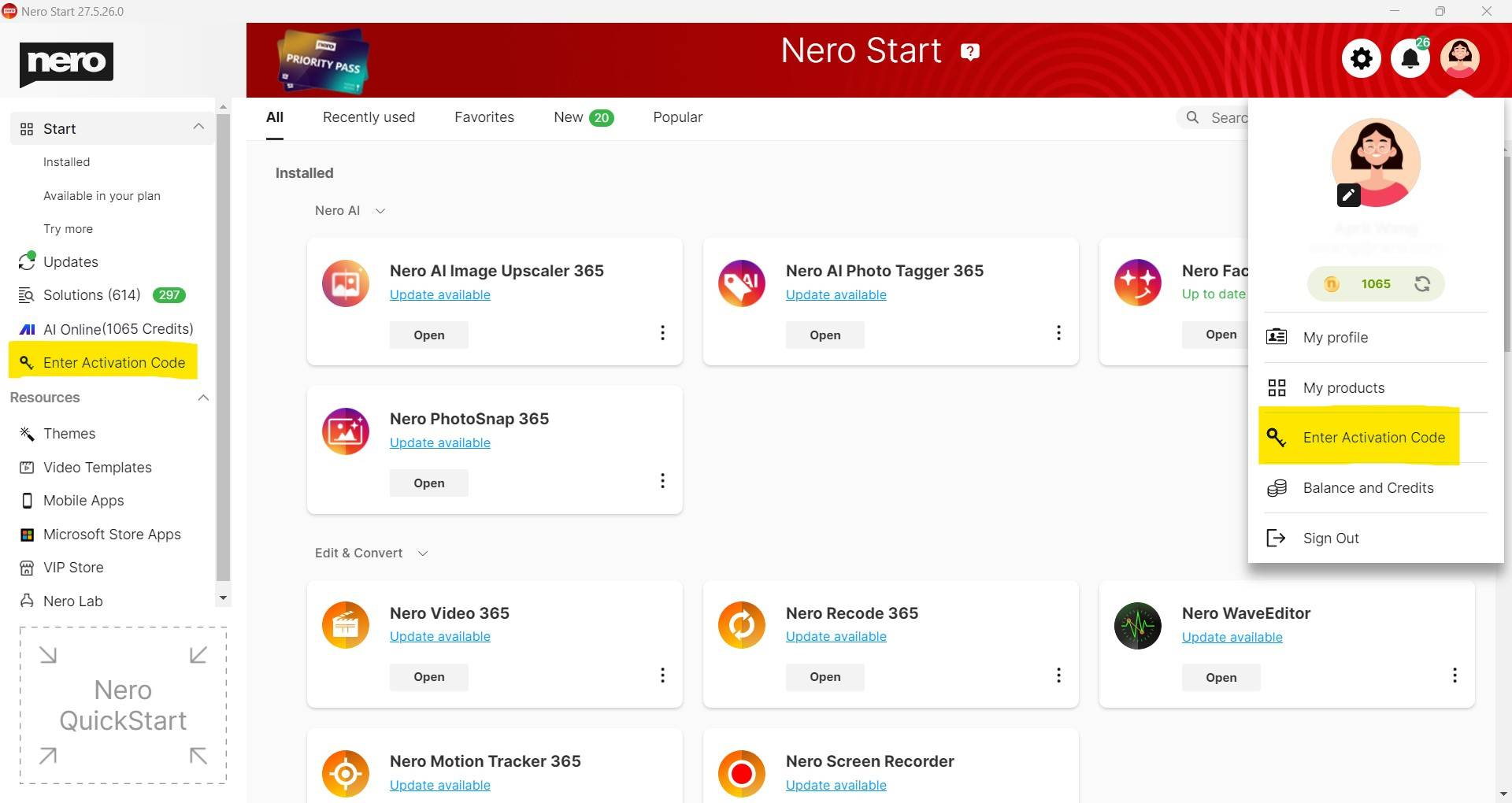
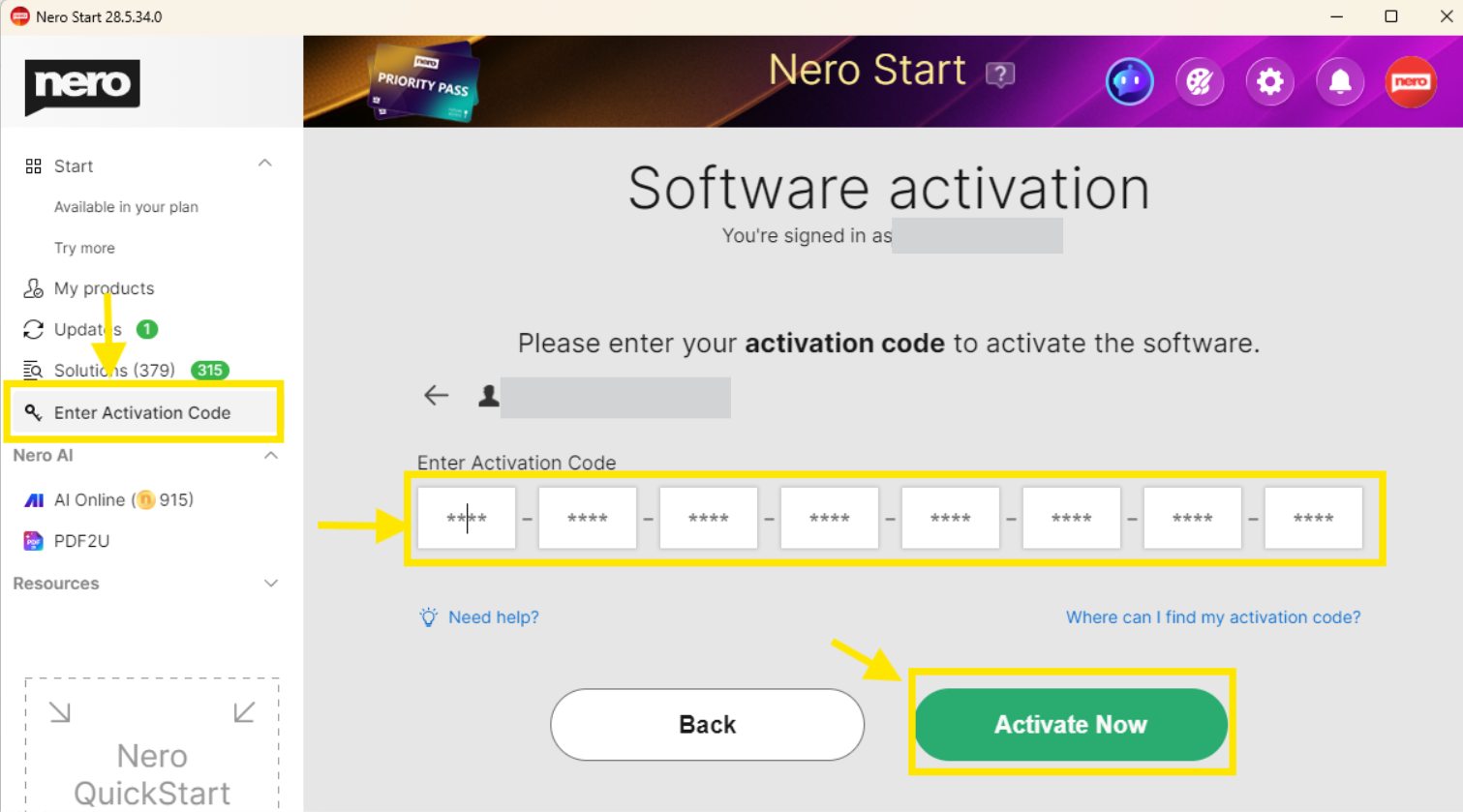
or 24-character code 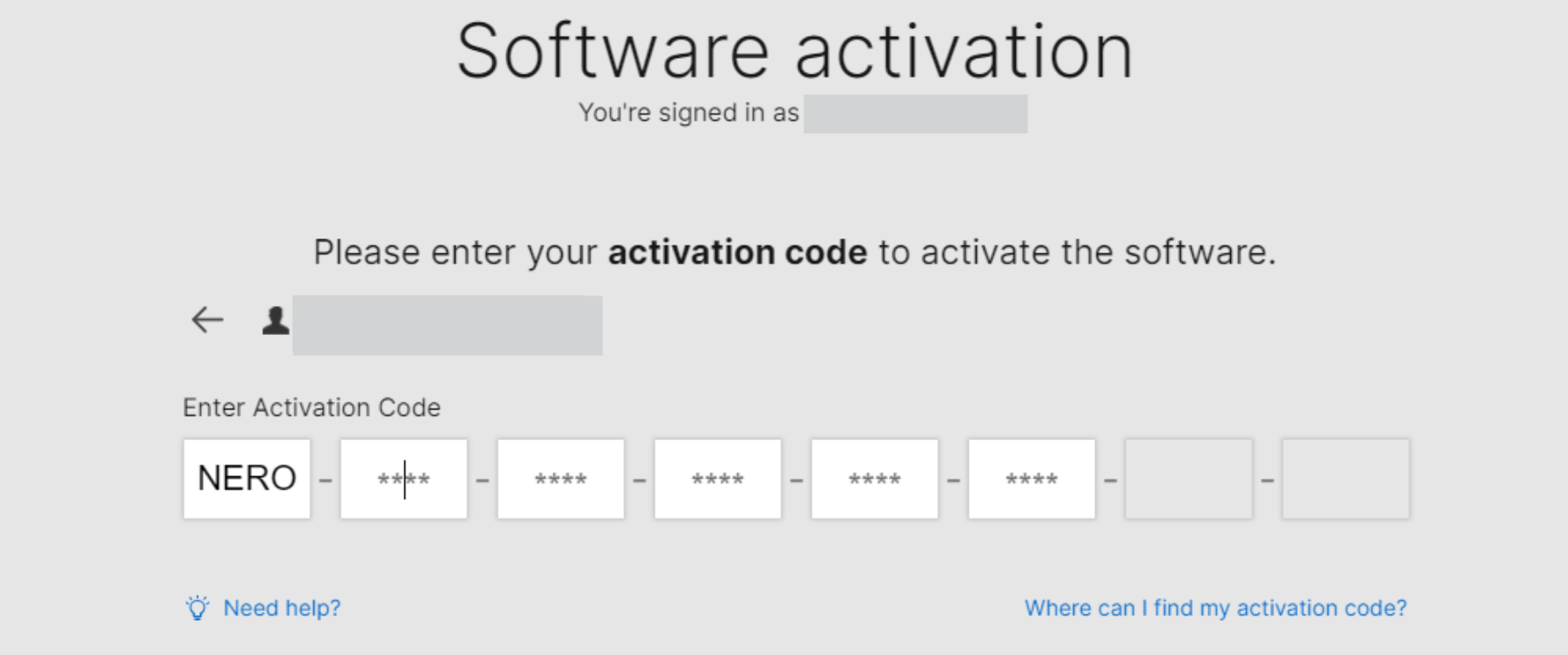
The software will be activated and be permanently bound to the account you are logged into.
> > Important: Each activation code can be redeemed only once and manually.
Check out details from Nero KnowHow.





