We provide a link for customers to delete the Nero Accounts by themselves.
1. Open Nero website: https://www.nero.com
2. Log in with your Nero account by clicking the Sign in icon in the upper right corner of the page.
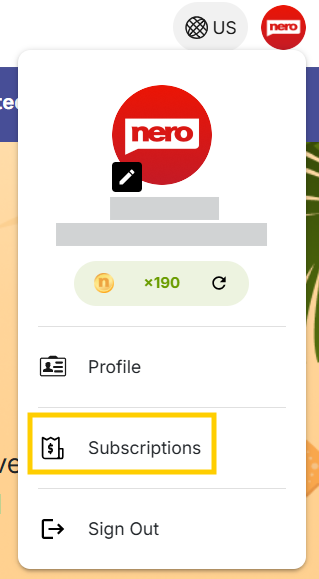
3. After logging in, click the account icon in the upper right corner and select Subscriptions to review all your paid Nero products bind with your Nero Account.
Please notice: once you delete your Nero Account, all of your paid Nero products and subscriptions are also removed from Nero server. You won't own them anymore.
5. In Account information, select My Profile, click Email, click Delete Account.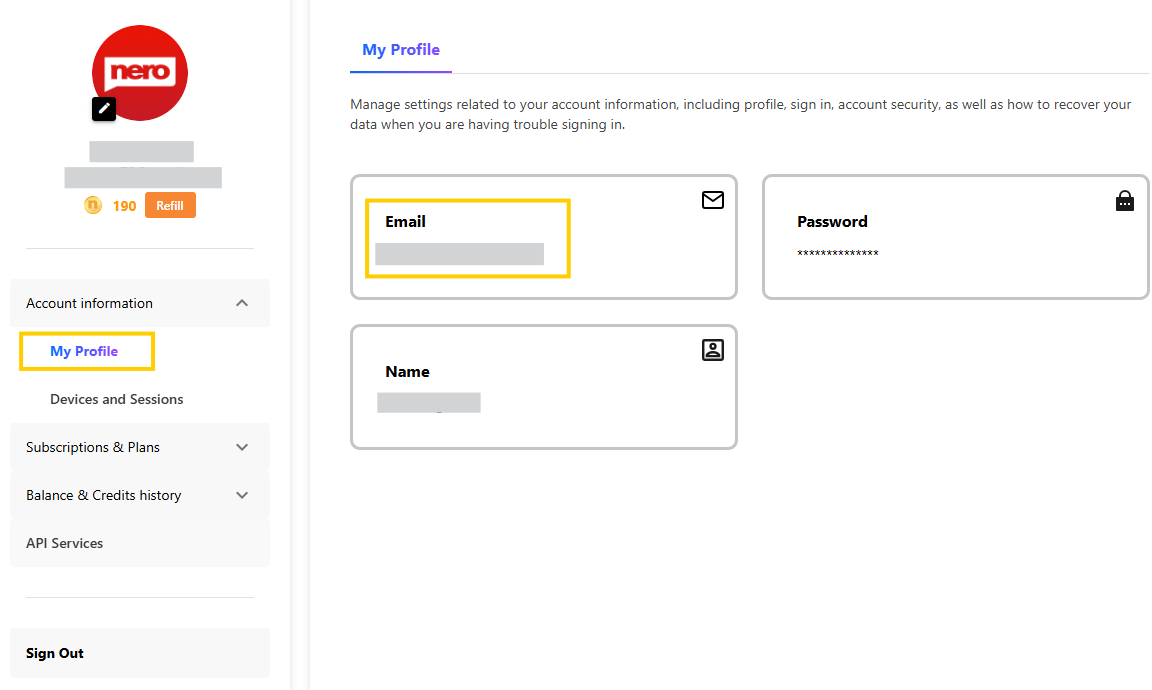
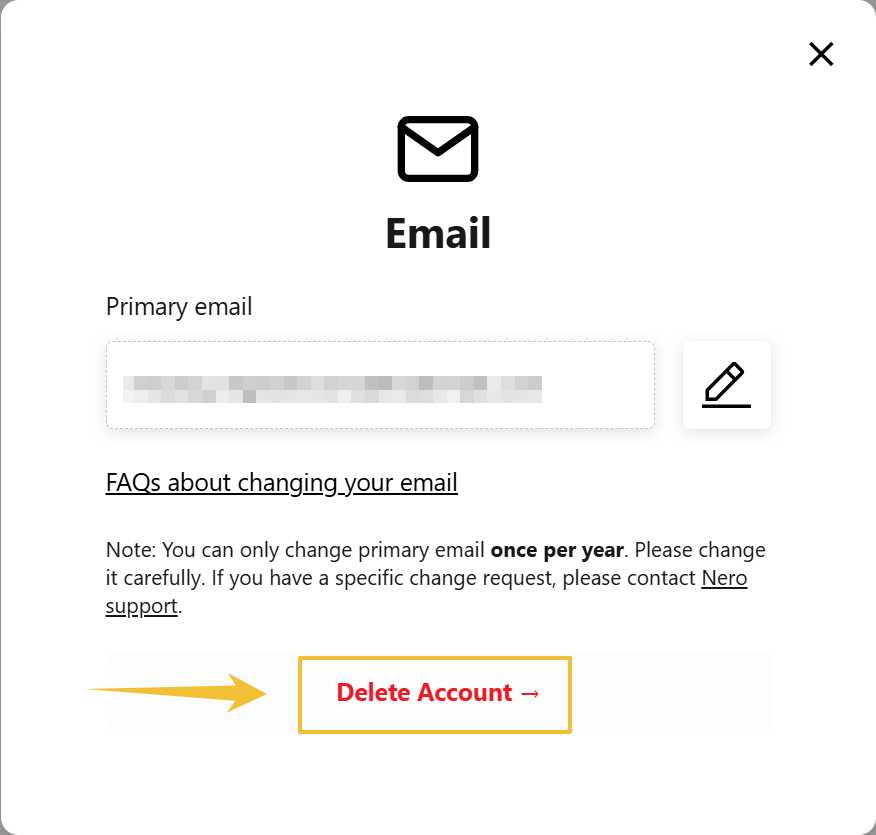
Then follow the on-screen directions to delete your account.